


FedEx Mobile
3.735.76K Reviews
App Specs
- Version
- 9.31.0
- Updated On
- License
- Free
- Downloads
- 10,000,000+
- Developer
- FedEx
- Categories
- Business
- Platform
- Android, iOS
Screenshots
 Analysis by AppCompare
For anyone juggling a delivery while away from a desk, a carrier app can be more useful than repeatedly refreshing an email or searching through old messages. I find FedEx Mobile most valuable when I use it as a practical companion to a shipment: check its progress, handle a shipping task, or locate a FedEx facility without switching between several sources. It is a free business app from FedEx, and its focus is refreshingly direct.
A useful routine for tracking a delivery
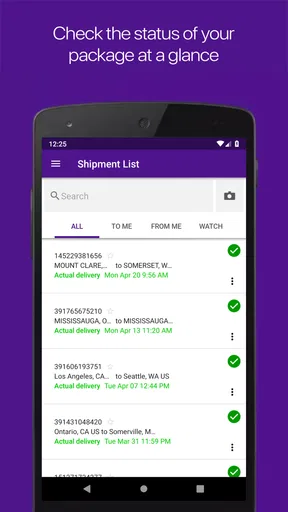
My simplest workflow is to add or enter a tracking number when I first receive it, then use the app to check the shipment when I actually need an update. That keeps the tracking step attached to the carrier responsible for the package instead of relying only on a retailer’s order page, which may be less useful once the parcel is in transit. The app has an average rating of 4.0 from around 289,000 ratings, and that broad response suggests it serves a familiar, everyday need.
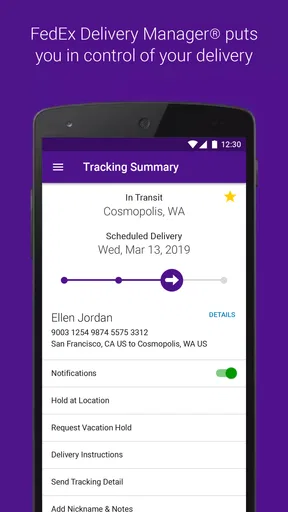
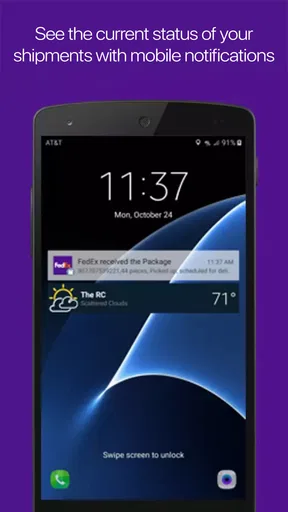
Notifications can make that routine less demanding. I would turn them on for shipments I’m actively waiting for, but avoid treating every alert as a reason to stop what I’m doing. A useful habit is to check the app when a delivery decision matters—such as whether I should stay home or make another trip—rather than watching every status change. That makes tracking feel helpful instead of distracting.
Settings and habits worth checking
Before depending on alerts, I’d review the app’s notification settings and the phone’s own notification controls. If an update seems to be missing, checking both places is a sensible first step; a quiet phone setting can make a working tracking feature seem unreliable. I’d also keep the app current, especially if it is part of a regular shipping routine. The current version is 9.27.1, and the minimum operating system requirement is 11.
For a household or small business with several shipments, I’d keep tracking numbers somewhere easy to retrieve, such as the relevant order confirmation, rather than assuming I’ll remember them later. When a package is important, entering its number directly gives me a clear starting point. If I’m sending something, I can use the app’s shipping tools instead of beginning a separate search for labels, pickup arrangements, or a nearby FedEx location.
Where the app saves time—and where it doesn’t
A realistic example: I’m leaving work and waiting for a shipment at home. I check the tracking status before changing my plans, then use the latest available information to decide whether to head straight back or run an errand. The app can make that check quicker, but I wouldn’t treat a status update as a guarantee that a delivery will arrive at an exact moment. Tracking is useful for planning, not a substitute for flexibility.
For routine FedEx shipments, using the carrier’s own app is often more direct than opening a retailer’s order page or a general tracking service. Those alternatives can be convenient when I want one place for orders from multiple carriers, while FedEx Mobile makes more sense when I want to follow a FedEx parcel or manage a FedEx shipment. I’d choose the broader service for a mixed-carrier overview and this app for carrier-specific tasks.
Worth Reading Before You Choose

EA SPORTS FC Mobile 26 Is a Bigger Football Game, but It Takes Time

Flipboard Shows What News Apps Must Do Beyond the Feed

Switching to Android Auto Means Rethinking Your Driving Routine

Google Calendar Makes a Crowded Week Easier to Manage

Ludo King Makes the Most of the Minutes Between Plans

Baby Panda World Brings Quick Play to Modern Phones, but Its Game Library Feels Busy
Shipping tasks and practical trade-offs
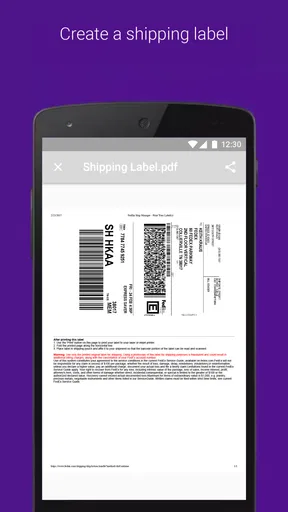
The app goes beyond checking a parcel: I can create shipping labels, schedule pickups, and look for a nearby FedEx location. Those options are particularly handy when a shipping task comes up away from my usual workspace. For example, if I have a prepared item to send but cannot get to a drop-off point, being able to look at pickup scheduling in the same app may simplify the next step. I’d still review the details before confirming anything, since choosing a carrier tool does not remove the need to check the shipment information carefully.
There is a trade-off in keeping several shipping tasks inside one carrier’s app: it is convenient for FedEx, but it does not replace a broader parcel organizer if I regularly use other carriers. Nor is a phone app necessarily the best place to prepare a complicated business shipping process; someone handling many shipments may prefer a desktop workflow for entering and reviewing details. I see the mobile app as strongest for individual shipments and quick decisions, not as a universal shipping desk.
Who will get the most from it?
I’d recommend it to people who frequently receive FedEx deliveries, send occasional packages, or need to find a FedEx location while out. It is also a reasonable choice for someone who prefers carrier-specific tracking to searching through messages. The app is free, rated for Everyone, and has passed 10 million installs, so it is clearly aimed at a broad audience rather than a specialist group.
On the other hand, if nearly all of your parcels come through other carriers, installing this app may add little to your routine. A multi-carrier tracker or the relevant retailer’s order page could be simpler for that situation. I’d also avoid relying on any one app as the sole record of a shipment: keeping the tracking number and order confirmation accessible gives you a fallback if you need to check details later.
FedEx Mobile was released on November 22, 2011, and its current version continues the same practical role: bringing FedEx tracking and shipping actions onto a phone. I like it best when I use notifications selectively, save time by checking the carrier directly, and treat delivery estimates as guidance rather than promises. For an occasional FedEx parcel, it can be a convenient extra; for frequent FedEx customers, it is a more natural part of the routine.
Getting Started with FedEx Mobile
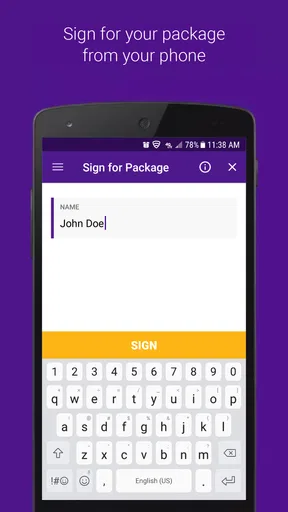
First things first, downloading the app is a breeze. Available for both Android and iOS, you can snag it from your favorite app store. Once installed, you’ll need to sign in or quickly create an account. Trust me, this part is as smooth as butter.
Features That Stand Out
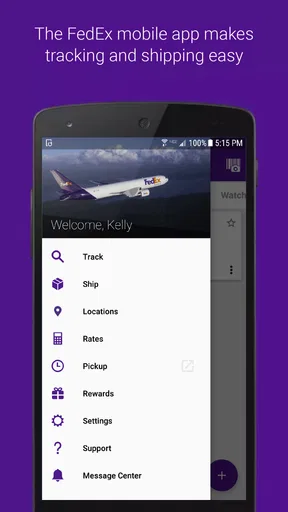
Now, let’s dive into the features. The FedEx Mobile app is not just about tracking shipments, though it excels at that. You can create shipping labels, schedule pickups, and even find the nearest FedEx location if you prefer a little face-to-face action with your packages.
Tracking your shipment is super intuitive. You simply enter your tracking number, and voilà, you’re greeted with real-time updates on your package’s journey. It’s like having a personal detective keeping tabs on your precious cargo.
User Experience and Interface
When it comes to user experience, the app is pretty straightforward. The interface is clean, minimalistic, and easy to navigate. You won’t find yourself lost in a maze of buttons and menus. Everything you need is right at your fingertips, which is great when you’re on the go.
One thing I particularly love is the push notifications. You’ll get alerts about your package status without having to actively check the app. It’s like having a friendly nudge reminding you that your delivery is on its way.
Reliability and Performance
In terms of reliability, I found the app to be quite robust. It rarely crashes and updates quickly, keeping you in the loop at all times. The performance is top-notch, even on my older Android device. It’s fast, responsive, and doesn’t hog your phone’s resources.
Final Thoughts
So, is the app worth downloading? Absolutely! Whether you’re a frequent shipper or just someone who loves online shopping, this app makes tracking and managing packages a walk in the park. It’s user-friendly, reliable, and packed with handy features. Next time you're waiting for that all-important package, give FedEx Mobile a try. You might just find yourself wondering how you ever lived without it!
Pros
- User-friendly interface for easy navigation.
- Real-time tracking keeps you updated instantly.
- Push notifications for delivery updates.
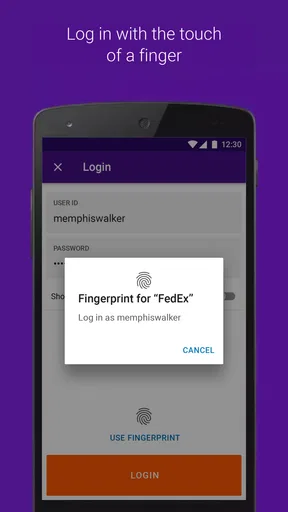
- Secure sign-in options enhance privacy.
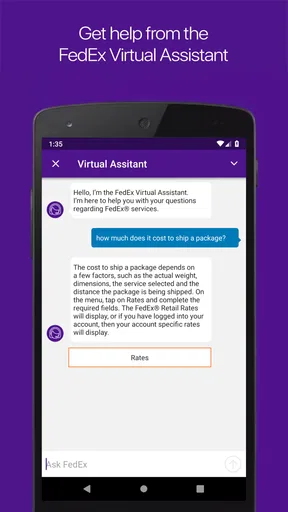
- Access to shipping rates and locations.
Cons
- Occasional app crashes reported by users.
- Limited features compared to desktop version.
- Some users find map integration lacking.
- Requires stable internet for optimal use.
- Notification delays can occur at times.
FAQs for FedEx Mobile
What features does the FedEx Mobile app offer?
The FedEx Mobile app provides a range of features designed for convenience and efficiency. Users can track shipments in real-time, find the nearest FedEx location, schedule pickups, and manage delivery preferences. Additionally, the app offers easy access to shipment history, notifications for delivery updates, and the ability to create shipping labels quickly.
Is the FedEx Mobile app free to download and use?
Yes, the FedEx Mobile app is free to download for both Android and iOS devices. While the app itself is free, users may incur charges based on the shipping services they utilize. The app streamlines the process of managing shipments but does not replace the costs associated with FedEx shipping services.
How secure is the FedEx Mobile app?
The FedEx Mobile app prioritizes security, employing encryption and secure login protocols to protect user information. It requires user authentication for accessing shipment details and account management. Regular updates enhance security features, ensuring that personal and shipment data remain protected against unauthorized access.
Can I use the FedEx Mobile app internationally?
The FedEx Mobile app is accessible internationally, allowing users to track shipments across various countries. However, some features, like scheduling pickups or finding local FedEx locations, might be region-specific. It's advisable to check the app’s compatibility with your region for seamless functionality.
How user-friendly is the FedEx Mobile app?
The FedEx Mobile app is designed with a user-friendly interface, making it easy for users to navigate through its features. It provides intuitive access to shipment tracking, delivery management, and account settings. New users can quickly learn to manage their shipments thanks to detailed guides and a straightforward layout.


